

Fanta vs Figma
Compare a local design-as-source workflow with Figma's collaborative cloud workflow.
Fanta is built around your design as source: a local project folder that you can edit visually, inspect as FNX, and review in Git. Figma is built around shared cloud files and real-time collaboration. Both can connect AI agents to design work; the difference is where the working document lives and how you review changes. Fanta project model · Figma's cloud and offline model.
Compare the workflow
| Workflow | Fanta | Figma |
|---|---|---|
| Working document | A folder containing FNX, managed JSON, identity sidecars, and assets. | Cloud files with link sharing and access permissions. Sharing guide |
| Editing | Canvas and validated source editing describe the same document. | Visual editing in a shared design file, including simultaneous multiplayer editing. Multiplayer |
| History and review | Save source files, inspect text diffs, and make Git commits. Branches and pull requests can use your existing Git host. | File version history, plus design branches and review/merge on eligible plans. Version history · Branching |
| AI agents | A local MCP bridge reads and edits the open design; agents can also work with project source. | Figma's MCP can retrieve design context, use Code Connect, and create or modify native canvas content. MCP documentation |
| Local work | Project files are local. Hosted models, generation, and some asset downloads still need a connection. | Loaded pages support some offline editing and sync after reconnection; full functionality needs internet access. Offline support |
What FNX changes
FNX is Fanta's readable, static JSX-like design format. It describes scene nodes such as frames and text, their properties, and their children. It is design source, not executable React or a finished application.
That means a spacing or text edit can become a file change you inspect alongside implementation work. The canvas helps you judge appearance; the source diff helps you understand what changed. Keep the companion JSON and assets with FNX so references and identities survive. What is FNX? · Design as source.
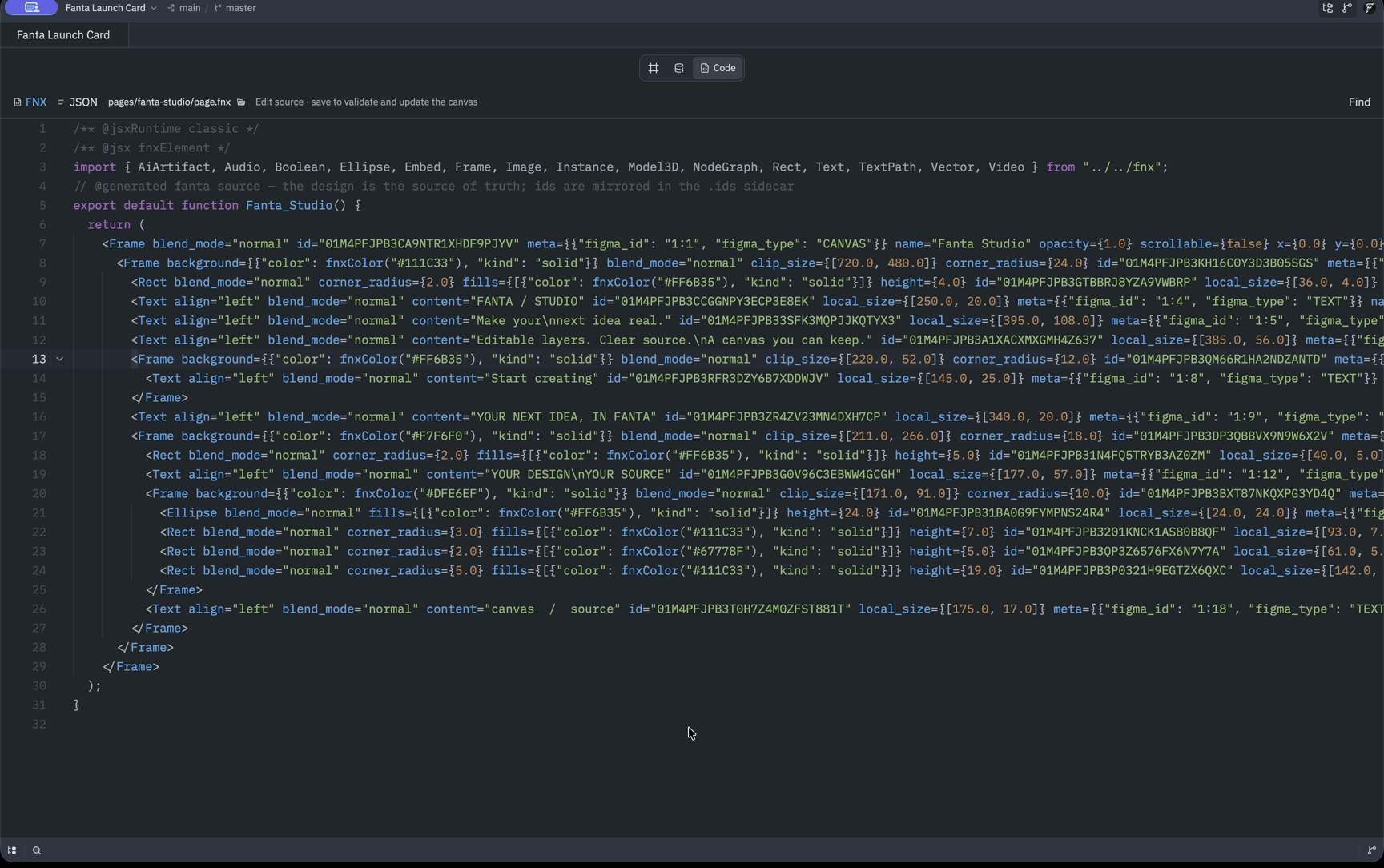
The reviewed Public Alpha workflow follows the same design through the canvas, source, and Git. Watch the complete workflow.
Who each workflow serves
Fanta fits a team or individual who wants designs stored with project files, agents working on the same document, and review through Git. You can keep a design project inside an existing repository and review source and visual output together. Git still requires deliberate commits, conflict resolution, and a remote if you want to share it. Git workflow.
Figma fits teams that want people to work in one shared file, share a link for review, and manage access through its collaboration system. Its broader ecosystem includes design, whiteboarding, presentations, and developer handoff. Sharing and products.
Fanta's local agent activity is not shared cloud presence or a cross-agent lock. Coordinate agents editing the same area and review their output. The current supported alpha target is Apple Silicon macOS; check installation and capabilities for build-specific limits.
Bring an existing Figma design
With permission to export the file, use Figma's File → Save local copy, then open the .fig in Fanta. Figma's local copy omits comments and version history. Figma's export guide.
Fanta converts supported content into a native project. Treat this as a migration: inspect important pages, components, and exported images before continuing. Known flattened or omitted structures receive warnings, but the absence of a warning does not prove full fidelity. Fanta does not promise complete Figma parity or a live connection back to the original file. Import behavior and limits.
Figma documents .fig as a proprietary format that may change, and recommends its official APIs for third-party integrations. That makes visual verification of migrated files especially useful. Format guidance.
How Fanta works and what it can do
A source-grounded map of Fanta's editor, design system, source files, agents, media, motion, handoff, and current limits.
Roadmap and current limits
What Fanta supports today, which improvements are being validated, and the longer-term directions in its source specifications.