

Fanta documentation
Learn Fanta's current alpha: canvas editing, source-backed projects, agents, generation, export, and Git.
Fanta is a native design editor built around an ordinary project folder. Canvas edits write readable .fnx files; valid source edits update the canvas. If Git is available, those changes can be reviewed and committed like code. Your design is source.
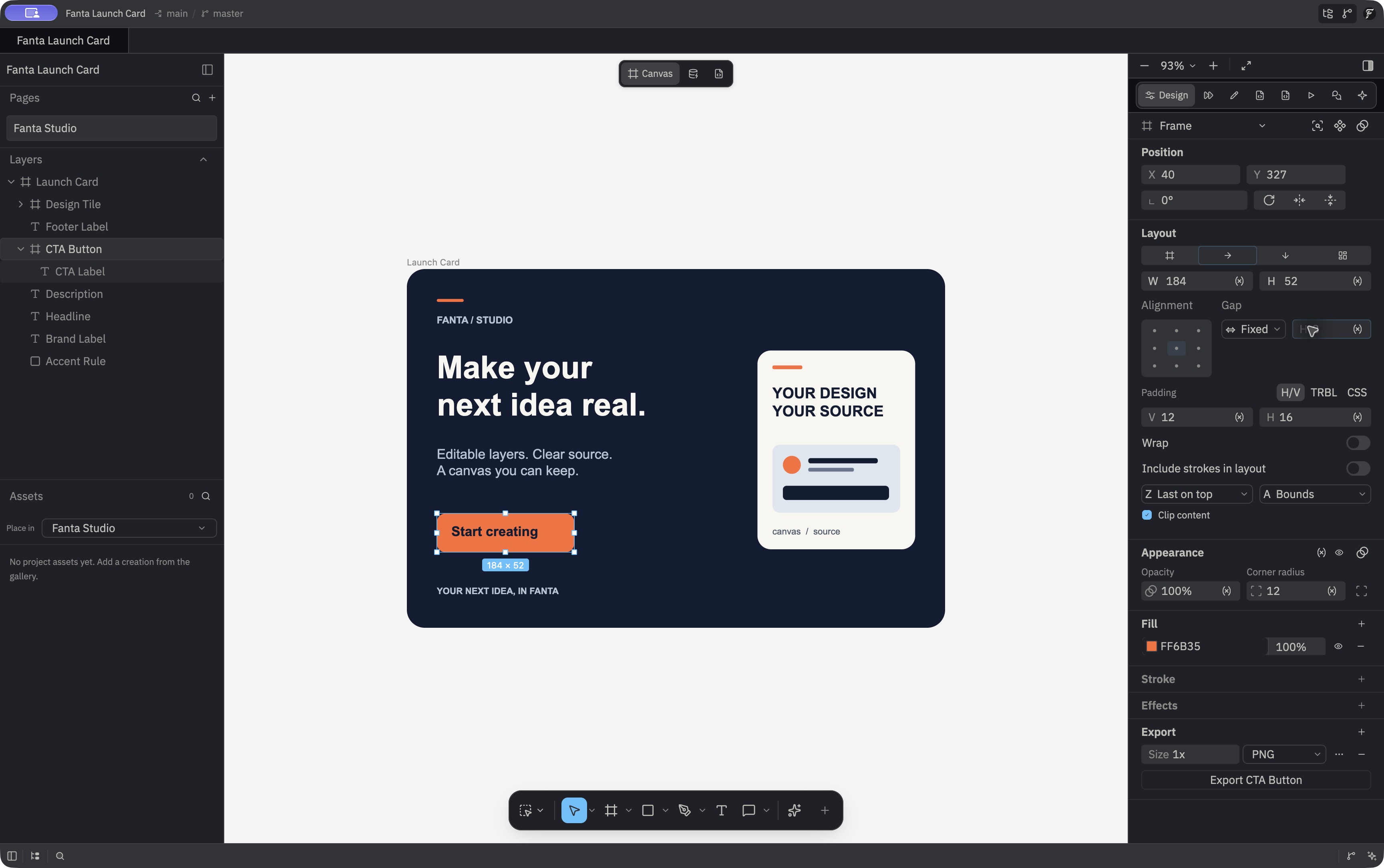
The Apple Silicon macOS Public Alpha is available from the official download page. These pages track fanta-edit main at e143440a, with build and release limits called out where they matter. The signed installer is bound to earlier source 57d86330; later source changes are not part of that accepted package, and only bounded installed-app workflows have been reviewed. Start with the full capability map.
What is FNX?
The readable design format behind the canvas.
Fanta and Figma
Compare project files, collaboration, agents, and version control.
Design with Git
Understand diffs, commits, branches, and design review.
Roadmap
Current workflows, planned improvements, and future directions.
Editor screenshots
Real Layers, Variables, layout, components, Motion, Prototype, and FNX screens.
Watch the workflows
Real canvas editing, FNX and Git, and an agent edit.
Brand and assets
Fanta's logo, visual identity, and product screenshots.
How Fanta works
A complete map of current capabilities and alpha limits.
Your first project
Make a design, inspect its files, and review a change.
Connect an agent
Use the 13 local MCP tools from Claude Code or Codex.
The editor
Canvas, grid layout, inspector, Motion, Dev, Build, Code, and shortcuts.
Design as source
Edit .fnx and supported project JSON behind the canvas.
Project Assets
Save and place generated image, SVG, video, and audio assets.
Import and export
Open .fig and export PNG, JPEG, SVG, or PDF.
A first pass
- Use File → New Design… or open a
.figfile. Fanta creates a native project directory when it can write to the chosen location. - Work on the canvas, in the inspector, or in the Code workspace. Valid external
.fnxedits reload the canvas. - Connect an agent to the running app through its local MCP bridge, if you want one.
- Let autosave update the project files, review the Git diff, then export a page or selection.
The site also serves /llms.txt, /llms-full.txt, and a Markdown version of each page.