

Auto layout
Arrange children with frame layout controls.
Auto layout
Auto layout arranges a container's children using direction, spacing, padding, alignment, and sizing rules. Use it for repeated items, buttons, cards, and sections that need to respond when their contents change. Fanta supports horizontal and vertical stacks and a grid. The inspector separates a container's layout settings from each selected child's sizing and alignment settings.
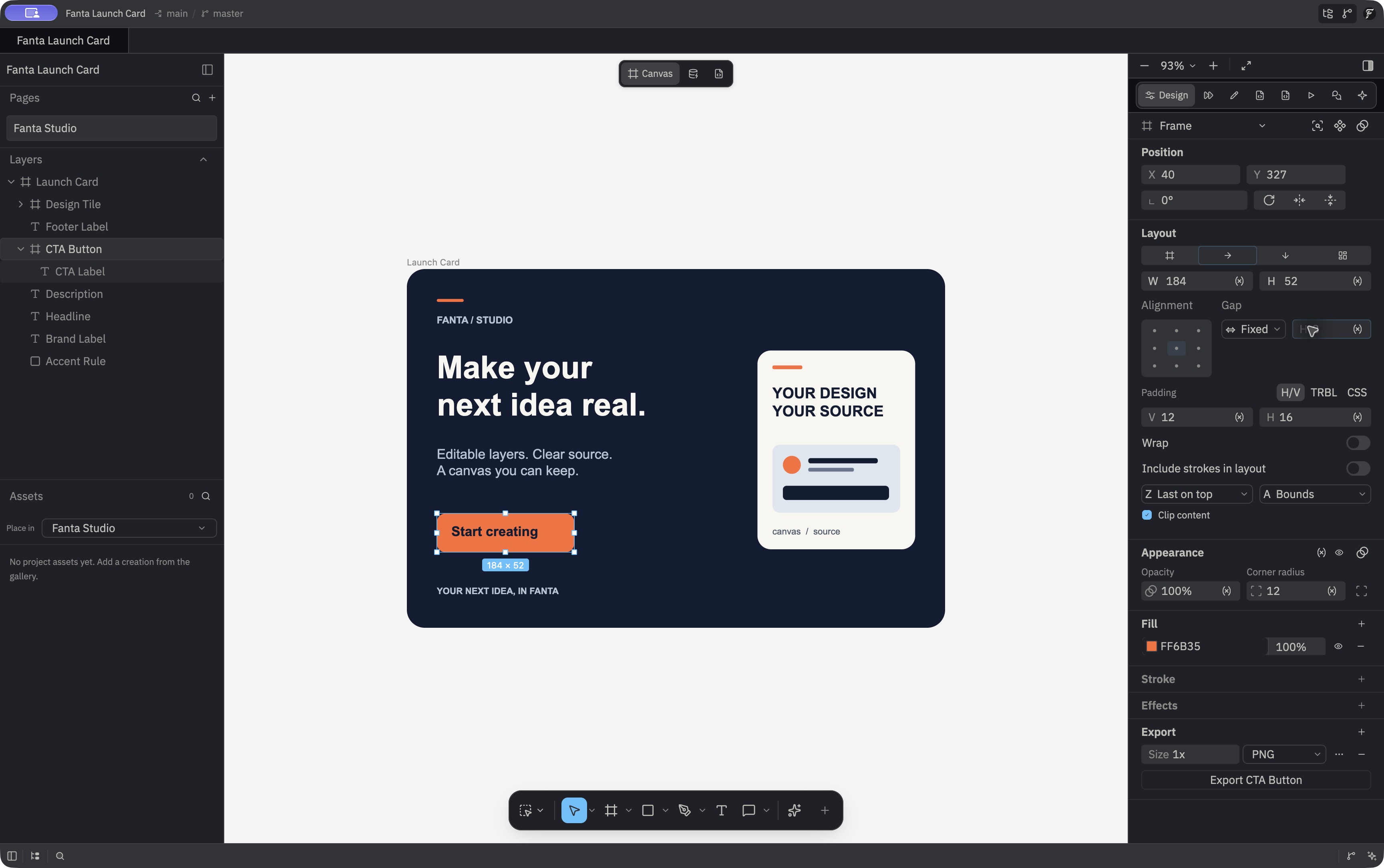
Set up a layout
- Select a frame or another supported container.
- Open the Layout section in the inspector and enable auto layout.
- Choose horizontal, vertical, or grid layout, then set spacing, padding, and alignment.
- Select a child to adjust its sizing or placement within the layout.
- Resize the container or edit child content to check the result.
You can also reach layout actions from the layer context menu. A free-positioned layer may move when you put it into a layout container because the parent now calculates child placement. Check the result on the canvas.
Arrange a grid
- Select a frame or group, enable auto layout, and choose Grid.
- Set the column and row counts and each track's sizing: fixed pixels, fractional space (
fr), or Hug content. Set column and row gaps and padding. - Leave items in automatic row flow, or switch to manual positioning to pin their current cells.
- Select a child to set its column, row, span, and horizontal or vertical alignment within the cell.
Switching a stack to Grid starts with approximately square, equal 1fr columns for its current children. Rows are added as needed and default to Hug sizing. Children without pinned cells fill the first free cell row by row. A child can span tracks; a child with absolute layout participation stays outside the grid flow. Fixed and Hug frame sizing still applies. The track-count controls accept 1–256 rows or columns, while the engine can generate additional Hug rows for children. In a Hug sized frame, fractional tracks size to content rather than dividing free space. Figma import maps supported grid tracks, gaps, anchors, spans, and child alignment.
Agents can set horizontal, vertical, or grid containers with set_auto_layout, including gap, padding, alignment, distribution, fixed or hug sizing, min and max size, wrapping, and counter_gap where applicable. set_grid_layout defines columns, rows, and gaps; set_layout_child can pin a grid child to a cell, set its spans and alignment, or return it to automatic placement. For a button, use a horizontal Hug layout and an auto-width label; for a card, choose a fixed width and auto-height paragraph text. See layout operations.
The canvas supports an 8 px snap grid and nearby node edges and centers while moving objects; snapping is a separate feature from auto layout. Grid placement is solved in crates/fanta-doc/src/layout/grid.rs; the current inspector controls are wired in crates/fig_viewer/src/gpui_adapters/design.rs.