

Prototyping
Add interactions and present a design.
Prototyping
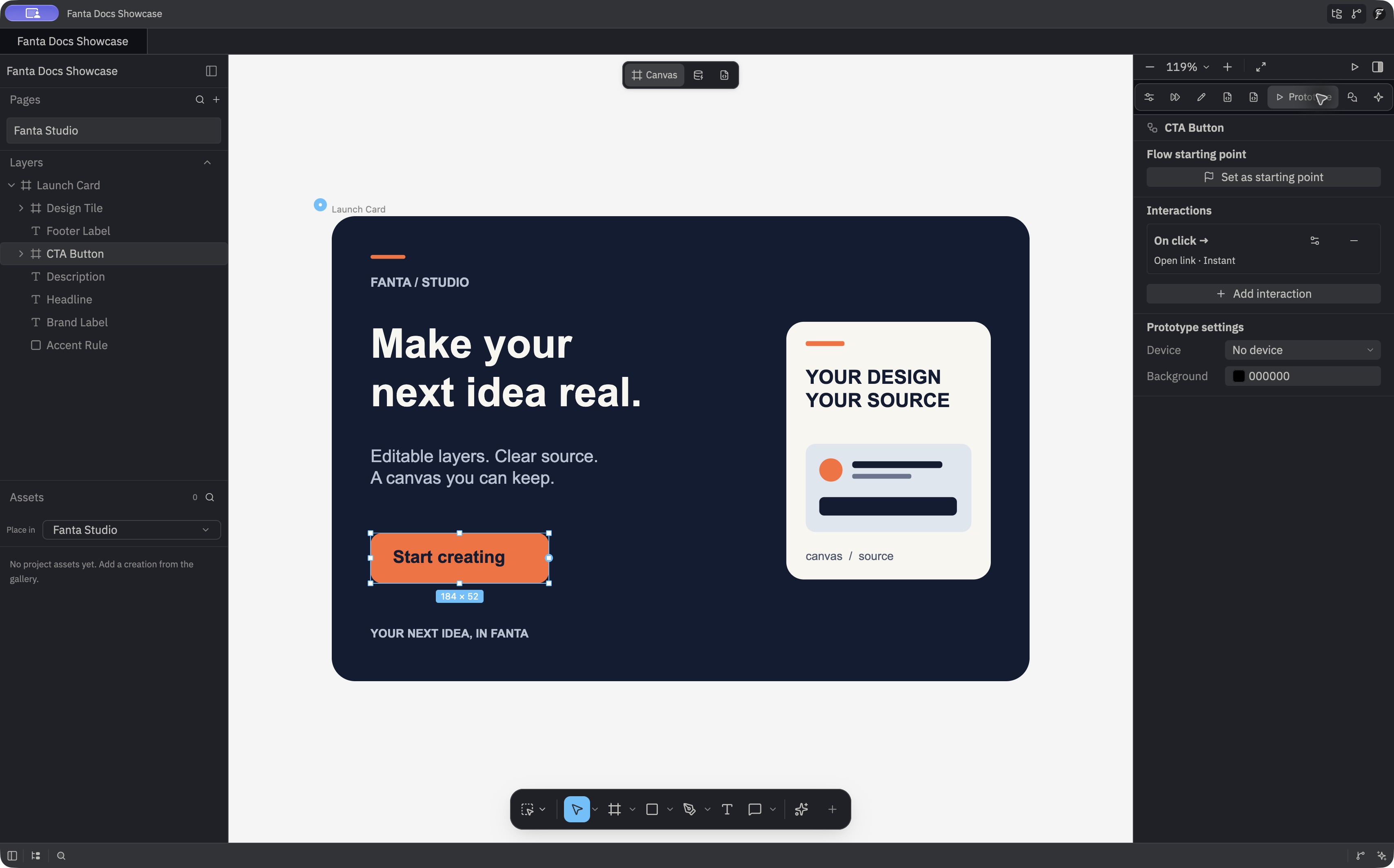
Prototype interactions connect an event on a layer to an action. The inspector's Prototype section provides controls for triggers, destinations, and transitions. Then use Present to try the flow.
Available triggers include click, drag, hover, while pressing, after a delay, and key input. Imported interactions may also include mouse enter, mouse leave, and while hovering. Actions include navigating to a destination, opening an overlay, scrolling to a target, setting a variable, updating a variant, opening a link, going back, and closing an overlay. Transitions include instant, dissolve, smart animate, and directional slide, push, or move effects.
Build a simple flow
- Create at least two frames or pages with the states you want to show.
- Select the interactive layer.
- In the Prototype section, add a trigger and navigation action.
- Set the destination and transition.
- Choose Present and test the interaction.
Open a link from a button
The sample button uses an On click trigger to open the Fanta docs. Select the button, open Prototype, and use Add interaction to create a reaction. Open the interaction's detail control, choose On click for Trigger and Open link for Action, then enter the destination in URL. This example uses https://fanta-docs.vercel.app/, Instant for Transition, and None for Motion clip.
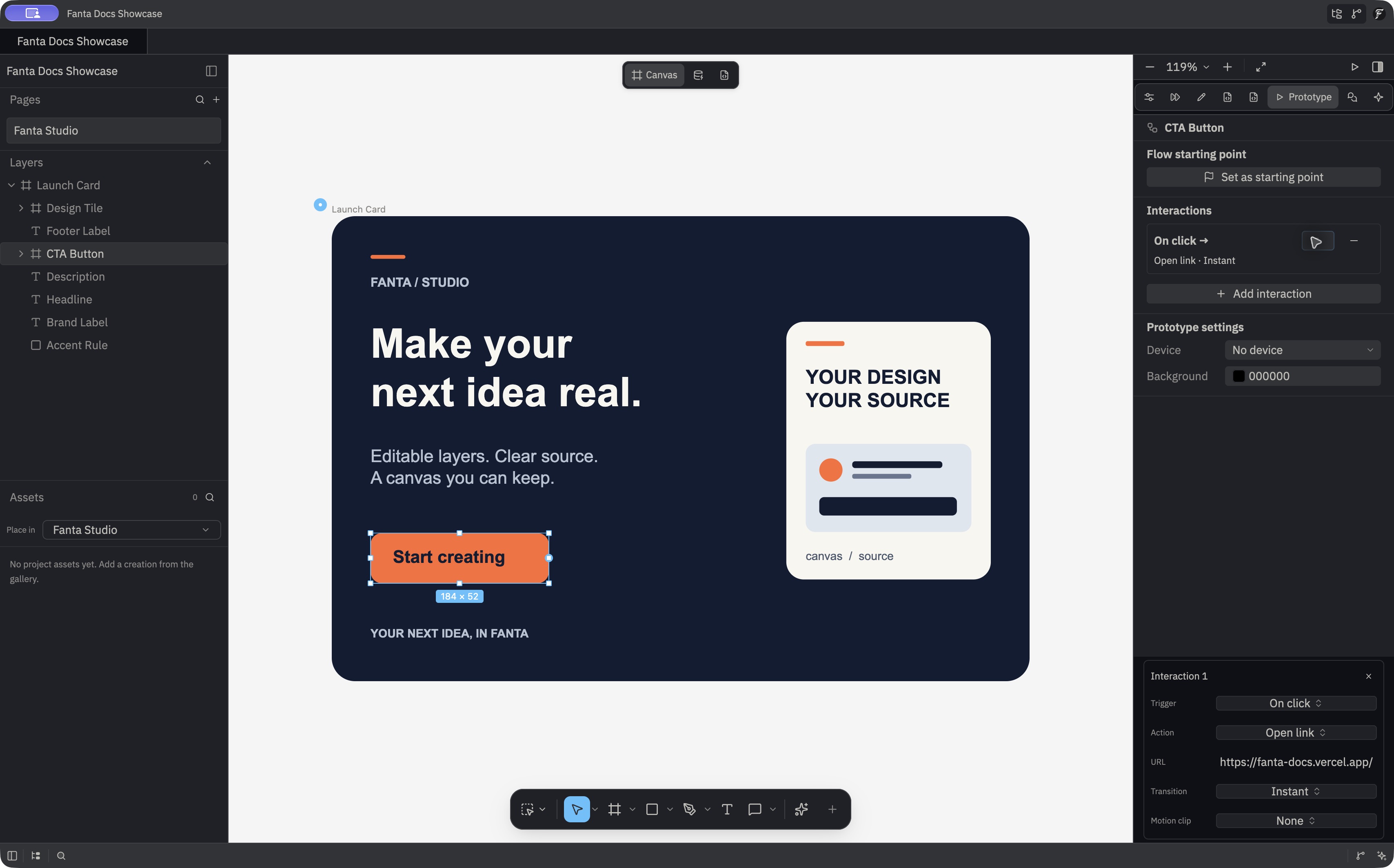
In an interaction's detail view, X closes the details and keeps the interaction. Use Remove interaction on its row to delete it. Closing the details applies a valid pending parameter edit; if a value is invalid, Fanta keeps the details open and shows the error. When you copy a layer tree within the document, references to destinations inside that copied tree are remapped to the new nodes. References outside it continue to point to their original targets.
The prototype data model is in crates/fanta-doc/src/node/prototype.rs; controls and presentation are in crates/fig_viewer/src/prototype_panel.rs and crates/fig_viewer/src/view.rs. Imported prototype features can be broader than the controls currently exposed, so test the flow in Present mode.