

Components and instances
Reuse a master design and manage local overrides.
Components and instances
A component is a reusable master layer tree. An instance refers to that master and can carry local overrides. Fanta stores component masters in components/<slug>/master.fnx, alongside the project's page source.
Create and use a component
- Put the layers you want to reuse in a frame or group, then select that container.
- Choose Create component from the layer or canvas context menu, or the inspector's selection controls. The new master stays in place.
- Right-click the master and choose Create instance. The new instance appears beside the master and is selected. A component set's frame can create a set instance that initially shows its default variant.
- Select an instance to change supported local properties or a variant choice.
- Use Go to main component to find the rendered master. Use the instance controls to reset overrides or detach the instance when you need an independent layer tree.
Open a component master to edit it in its own canvas. The master root appears as a row in Layers; expand it to inspect and select its descendants. Selecting a descendant reveals its ancestor chain in the panel.
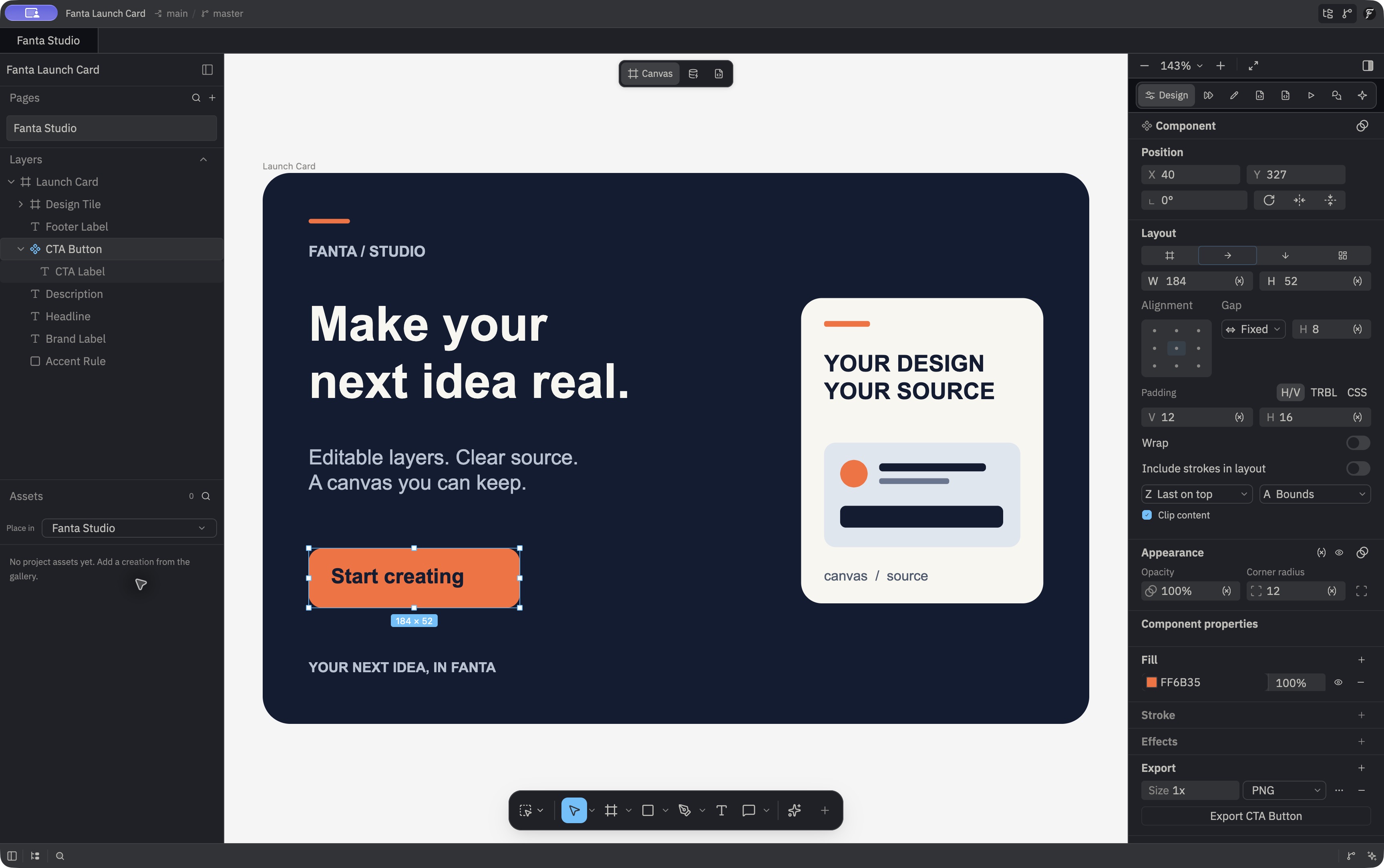
Variant sets and properties
Components can have variants and exposed text, boolean, number, color, instance-swap, and variant properties. Create a set from at least two standalone masters; Fanta groups them inside a set frame and arranges them by their variant values. Names such as Variant=Primary, State=Hover define axes and values; plain names become values on a single Variant axis. The first selected master becomes the default. Duplicate combinations are rejected.
An instance's variant choices appear before its other component properties in the inspector. Changing one axis keeps the others and swaps to the exact matching master. A sparse set has no result for a combination that has not been authored, so that choice leaves the instance as it was. Go to main component opens the member currently rendered, including a set default or a member selected by a variable alias and the placed instance's active or inherited mode. If a source draft is unsaved, navigation to another page or component scope is refused until you save or discard the draft. Reset clears local customizations and restores the resolved default member's size. Detach expands a supported instance to independent content; if its combined opacity, effects, blur, or blend cannot be preserved, Fanta explains the refusal and leaves the instance unchanged.
The inspector also shows Content rows for visible text inside an instance. Editing one writes a local text override; resetting it returns to the master value. Canvas text editing resolves alias-backed component properties at the placed instance's mode. A direct text-content variable binding remains authoritative and prevents a local content edit; change the variable or remove the binding first. Text inside a nested instance is not recursively exposed as a Content row.
When you duplicate a component master or a complete variant set, Fanta clones its component definitions and remaps the duplicate to those new definitions. Duplicating an ordinary instance keeps its reference to the existing master. Page duplication also clones component definitions belonging to the duplicated page.
Copying a master or complete variant set captures its definitions. If the original is later removed, Paste can restore the captured definitions with new IDs and reconnect copied instances; repeated Paste after Cut makes independent restored copies. Paste of an ordinary instance continues to use its existing live component reference. Cut refuses an incomplete variant set. Removing a master detaches supported surviving instances so their artwork remains; unresolved dependencies or combinations that cannot keep the appearance cause a refusal before removal. Cut, Delete, and Duplicate respect direct and inherited layer locks. A failed Cut leaves the prior clipboard content in place.
An external agent can promote a frame or group with create_component, combine two or more standalone master node IDs with combine_variants, expose a property with create_component_property, bind it to a compatible descendant field with bind_component_property, and change an instance with set_instance_property. The componentize operation can take a master and structurally matching copies, replace the copies with instances, and preserve their visual differences as overrides. It refuses copies with different kinds or child structures. Read get_design_system between structural steps for exact set IDs, axes, properties, and allowed values. Invalid property types roll back the batch. See components and variants.
Component and instance operations are implemented in crates/fig_viewer/src/properties_ops.rs, component_actions.rs, componentize.rs, and variant_sets.rs. Storage is defined in crates/fanta-format/src/project/layout.rs.